

You've run the PriceLabs Revenue Estimator and the number looks promising. Now what?
I've coached more than 500 newcomers into the short-term rental market, and this is the step almost all of them got stuck on. Revenue is only half the story. Turning it into a net profit forecast usually means retyping figures into a spreadsheet, settling for one yearly average, and forgetting half the costs.
Here's how to go from a Revenue Estimator report to a full net profit forecast, month by month, in a few minutes.
What you'll need
- A PriceLabs account with access to the Revenue Estimator
- A Prop AnalytiX Calculator account
- The free Prop AnalytiX Analysis Extension for Chrome
The 5 steps
-
Run the Revenue Estimator for your property
In PriceLabs, run the Revenue Estimator (or Market Research) for the property you're analysing and keep the results open.
-
Click Extract data from page
Open the Prop AnalytiX extension and click Extract data from page. The extension captures the ADR, occupancy and all 12 months of seasonality from the page, then ranks your seasons from the monthly ADR.
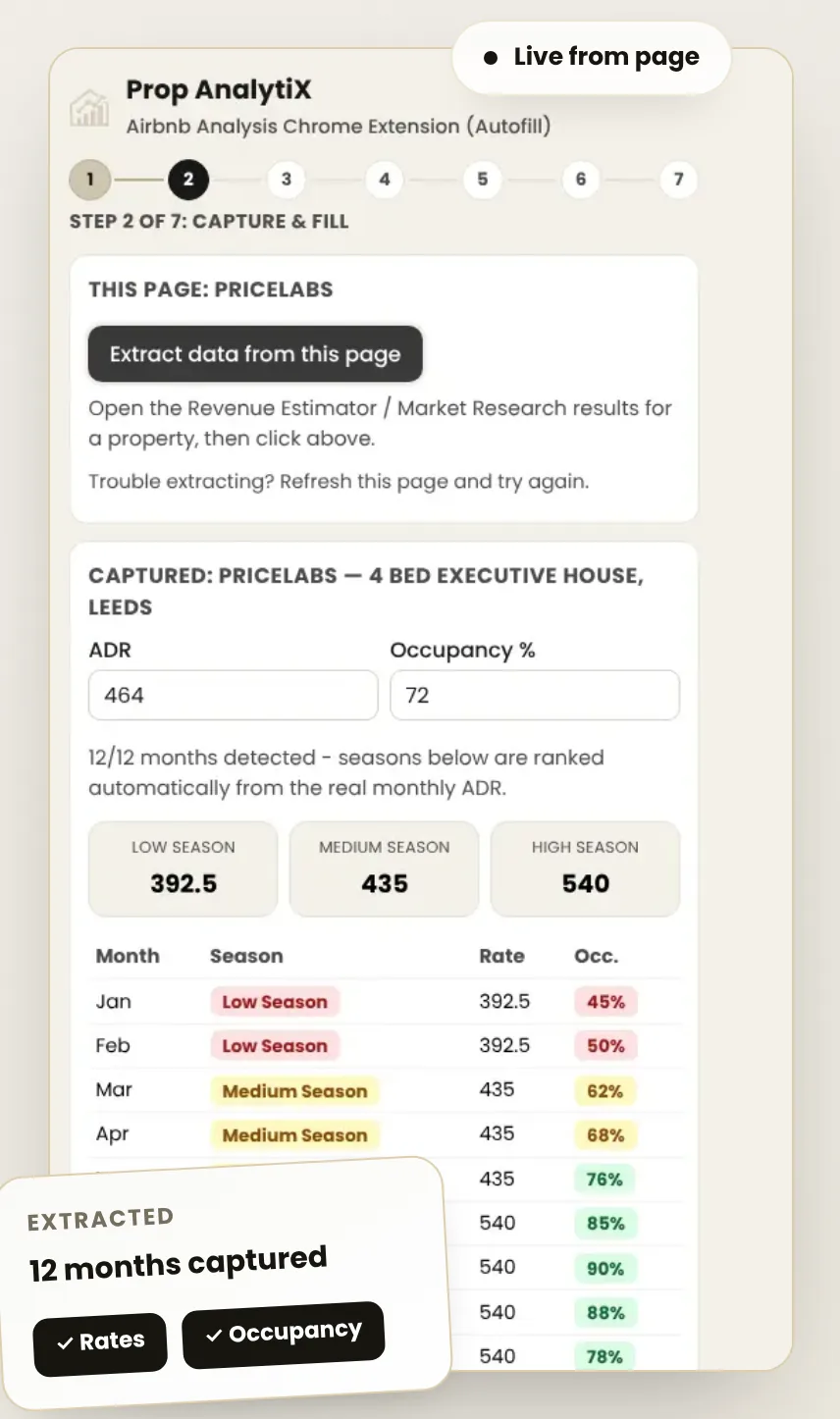
12 of 12 months detected. Example figures. Tip: if extraction doesn't work first time, refresh the PriceLabs page and try again. -
Check your 12-month seasonal plan
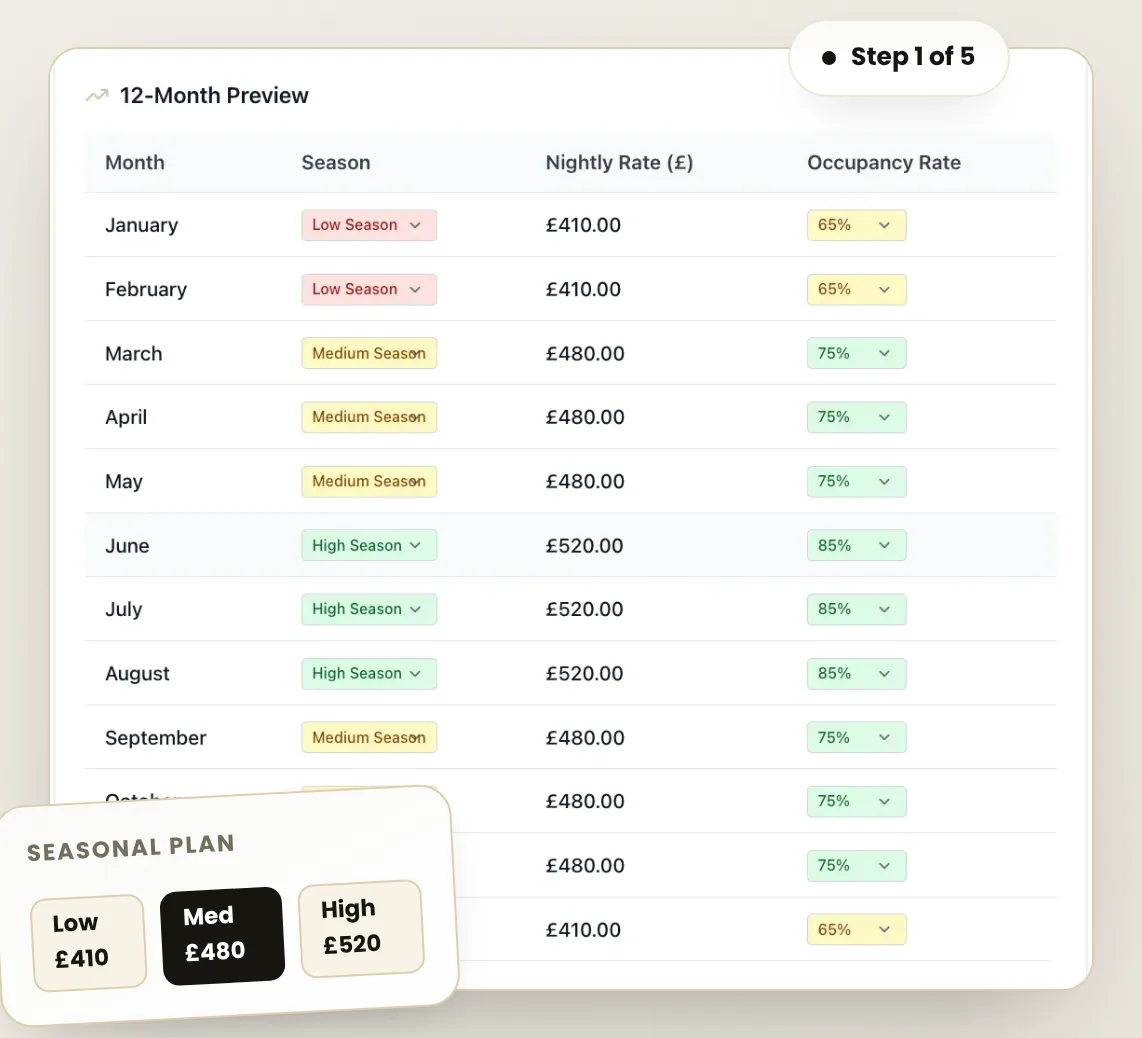
In the Prop AnalytiX extension, apply the captured data and every month lands in the Calculator tagged Low, Medium or High season, with its nightly rate and occupancy variation filled in. Every field stays editable, so adjust anything you know better locally.
-
Add every cost, not just the bills
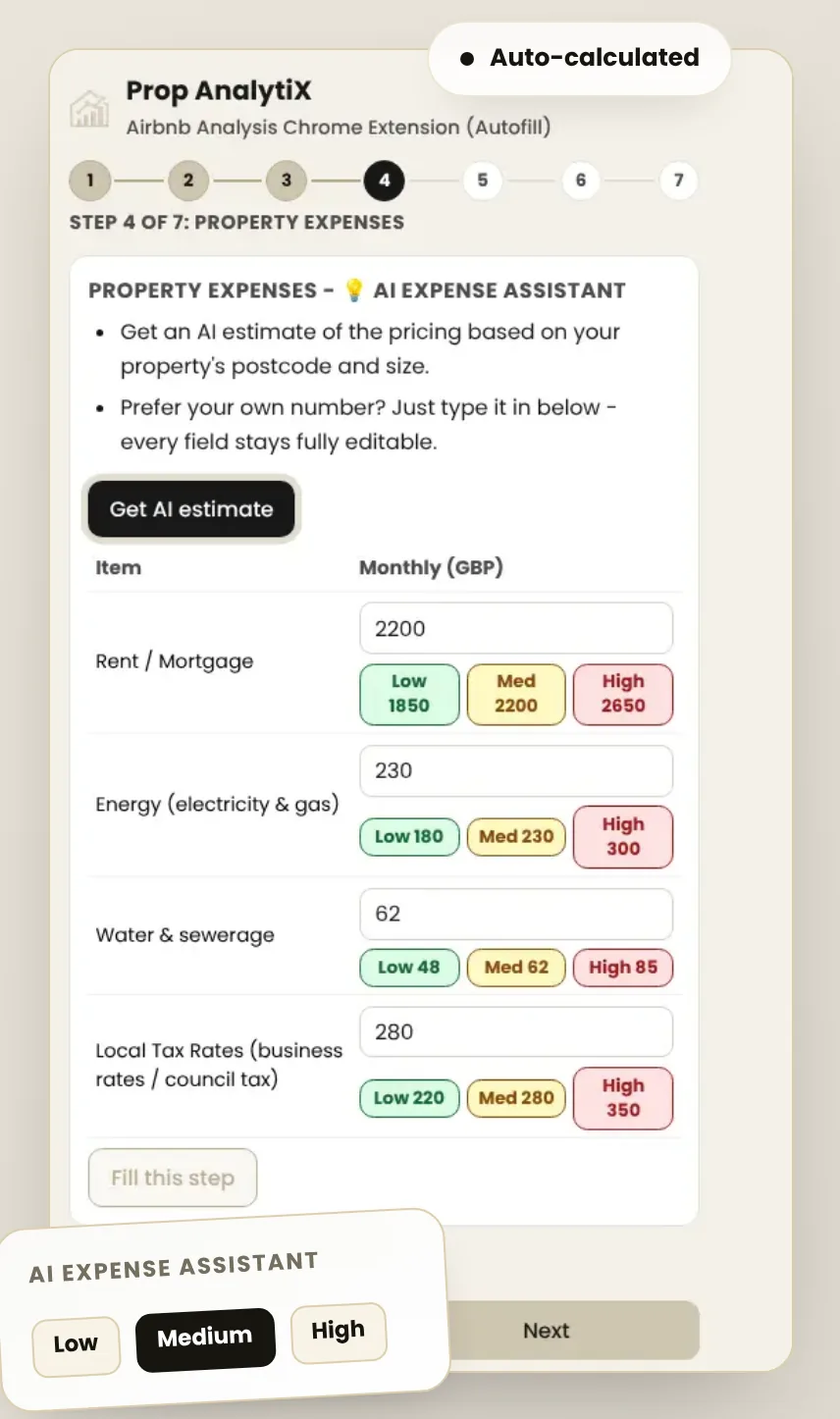
Work through property expenses, business expenses, platform fees and your initial investment. The AI Expense Assistant gives Low, Medium and High estimates for the property's postcode and size, and the step-by-step layout reminds you of costs that are easy to miss, like commission VAT, laundry or sourcing fees.
-
Read your results and export the PDF
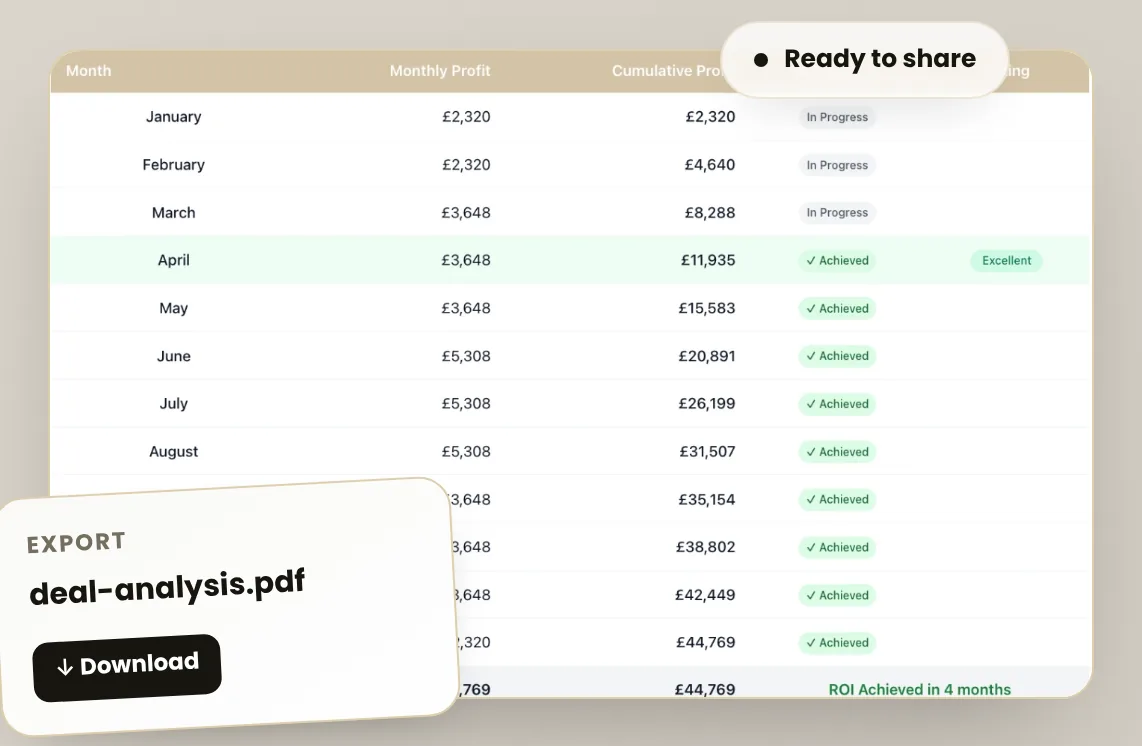
See your monthly profit, annual ROI and the month you hit your return on investment. Export the full deal analysis as a PDF for your own decision, or to share with a landlord, investor or JV partner.
Why this beats a spreadsheet
Your forecast reflects real seasonal swings instead of one flat average, so you can see your quiet months and a realistic ROI term before you commit. For a one-minute look at why that matters, read the average ADR trap.
Using Property Market Intel instead? Follow the Property Market Intel guide.
FAQs
Do I need a PriceLabs account?
Yes, to use the auto-fill. The extension reads the figures from your own PriceLabs account while you're logged in. You can also type numbers into the Calculator yourself.
Is the extension free?
Yes. The Prop AnalytiX Analysis Extension is free to add from the Chrome Web Store.
Can I change the numbers it pulls in?
Yes. Every field stays editable, including the AI expense estimates.
Turn your next Revenue Estimator report into a forecast
Add the free extension and go from revenue to net profit in minutes.
No payment required · takes under 2 minutes to set up